

Marketing teams spend an average of 16 hours per week on repetitive tasks. Scheduling posts, sending follow-up emails, updating spreadsheets, pulling reports. All of it can be automated without touching a single line of code.
In 2026, no-code marketing automation is not just possible. It is the standard for efficient teams. Here is how to automate your entire marketing stack from end to end.
The No-Code Marketing Automation Stack
Before automating anything, you need the right tools connected. Here is a proven stack that works together seamlessly:
- Automation engine: Zapier or Make (formerly Integromat)
- email marketing: Mailchimp, ActiveCampaign, or Brevo
- Social media: Buffer or Hootsuite
- CRM: HubSpot or Zoho
- Analytics: Google Analytics 4 + Looker Studio
- Forms and landing pages: Typeform or Unbounce
7 Marketing Workflows to Automate Today
1. Lead Capture to CRM
When someone fills out a form on your website, the lead should automatically appear in your CRM with all relevant data. No manual entry. No copy-pasting from email notifications.
Setup: Connect Typeform or your website form to HubSpot/Zoho via Zapier. Map fields like name, email, phone, and source. Add automatic tags based on the form they filled out.
2. Welcome Email Sequences
Every new subscriber or lead should receive a welcome sequence within minutes, not hours. A 3 to 5 email sequence over 7 days builds trust and moves them toward a purchase decision.
Setup: Create the sequence in your email platform. Set the trigger to “new subscriber added” or “new CRM contact created.” Each email should deliver value and end with a clear call to action.
3. Social Media Content Distribution
Publish a blog post and have it automatically shared across LinkedIn, Twitter/X, Facebook, and your email newsletter. One content piece, multiple channels, zero extra effort.
Setup: Use Zapier to monitor your blog’s RSS feed. When a new post publishes, trigger posts to Buffer (which handles scheduling across platforms) and create a newsletter draft in your email tool.
4. Lead Scoring and Qualification
Not all leads are equal. Automate lead scoring based on behavior: email opens, page visits, content downloads, and form submissions. When a lead hits a threshold score, notify your sales team automatically.
Setup: Most CRMs have built-in lead scoring. Configure point values for each action. Set a threshold (e.g., 50 points) that triggers a Slack notification or task assignment for sales follow-up.
5. Abandoned Cart and Follow-Up Reminders
For e-commerce and service businesses, automate reminders when someone starts a purchase or booking but does not complete it. A timely nudge recovers 10-15% of abandoned transactions.
Setup: Connect your e-commerce platform or booking tool to your email platform. Set a delay (1 hour for carts, 24 hours for bookings) before sending the reminder.
6. Weekly Performance Reports
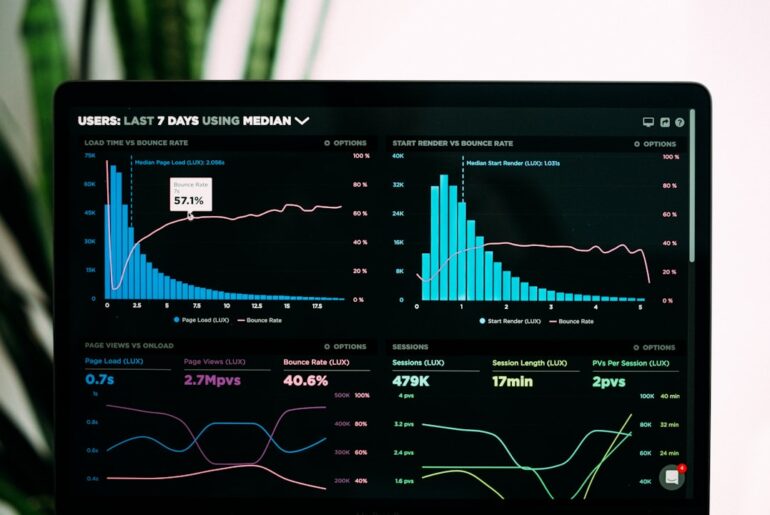
Stop building reports manually every Monday. Automate data collection from Google Analytics, your ad platforms, and your CRM into a single dashboard that updates automatically.
Setup: Use Looker Studio (free) to connect to your data sources. Schedule automated email delivery of the report every Monday morning to your team.
7. Review and Testimonial Requests
After a purchase or project completion, automatically send a review request. Time it for the moment of peak satisfaction, usually 3 to 7 days after delivery.
Setup: Trigger the email based on order status change or project completion in your CRM/project management tool. Include direct links to Google Reviews or your preferred platform.
Common Mistakes to Avoid
- Automating everything at once: Start with 2 to 3 workflows. Perfect them before adding more.
- Ignoring the human touch: Automation handles the repetitive work. Keep personal interaction for high-value touchpoints.
- Not testing: Always send test data through your automations before going live. One wrong field mapping can create a mess.
- Forgetting to maintain: Review your automations monthly. Tools update, APIs change, and workflows break silently.
The ROI Is Immediate
A 5-person marketing team automating these 7 workflows typically saves 40 to 60 hours per month. That is the equivalent of hiring another team member without the salary. More importantly, automated workflows run consistently. No missed follow-ups, no forgotten reports, no leads falling through the cracks.
Pick your biggest time sink, automate it this week, and measure the hours saved. That is all the proof you need to keep going.